
rockbottom
Active Member
There was better system balance with the old GPU. The new GPU is far more powerful/can do far more work & can easily overload the CPU. It's up to you to manage it from happening.

Unhandled exception: c0000005
...
libobs version: 32.1.2 (64-bit)
Windows version: 10.0 build 26100 (release: 24H2; revision: 8524; 64-bit)
...

Thread 22C0: (Crashed)
Stack            EIP              Arg0             Arg1             Arg2             Arg3             Address
000000717F8FF780 00007FFC1678B9D3 0000023803B4CDF0 0000000000000000 000002387D01B500 0000000000000000 ntdll.dll!0x7ffc1678b9d3
000000717F8FF880 00007FFC1679C49F 000002380F423860 00000000FFFFFF00 0000000000000000 0000000000150DD6 ntdll.dll!0x7ffc1679c49f
000000717F8FF900 00007FFC1679D712 00000000FFFFFFFF 0000000000000001 0000000000000000 0000000000006BE8 ntdll.dll!0x7ffc1679d712
000000717F8FF940 00007FFB95FC15CD 000002387D01B5F0 0000000000150DD6 00000000000000D6 000002380316B578 amfrtdrv64.dll!0x7ffb95fc15cd
000000717F8FF970 00007FFB960F2817 000002380316B578 4000000000150DD6 000002380316B578 00000238031622C0 amfrtdrv64.dll!0x7ffb960f2817
000000717F8FF9B0 00007FFC0A2B1E03 0000023803162390 0000000000000000 0000000000000000 0000000000000000 amdxx64.dll!0x7ffc0a2b1e03
000000717F8FF9F0 00007FFC0A2B1E39 0000000000000000 0000000000000000 0000000000000000 0000000000000000 amdxx64.dll!0x7ffc0a2b1e39
000000717F8FFA20 00007FFC1653E957 0000000000000000 0000000000000000 000004F0FFFFFB30 000004D0FFFFFB30 kernel32.dll!0x7ffc1653e957
000000717F8FFA50 00007FFC16807C1C 0000000000000000 0000000000000000 0000000000000000 0000000000000000 ntdll.dll!0x7ffc16807c1c

Thread 2FE4:
Stack            EIP              Arg0             Arg1             Arg2             Arg3             Address
00000071706F7708 00007FFC1440AE84 0000000000000064 00000071706F7810 0000000000000001 0000000000000064 win32u.dll!0x7ffc1440ae84
00000071706F7710 00007FFB8FC022BD 0000000000000000 00000000000000A4 0000023885A62B90 0000023810C73B20 qt6core.dll!0x7ffb8fc022bd
00000071706FA860 00007FFB90344189 0000000000000064 0000023885A62B90 0000023810C5F350 0000000000000040 qt6gui.dll!0x7ffb90344189
00000071706FA890 00007FFB8FA85234 00000071706FA930 0000000000000000 000002380F5EC360 00000000FFFFFFFF qt6core.dll!0x7ffb8fa85234
00000071706FA910 00007FFB909C2FDE 0000000000000001 0000023814B24170 00000071706FAEC9 00000238145FEEC0 qt6widgets.dll!0x7ffb909c2fde
00000071706FA980 00007FF7B8ADE9F2 0000023814B21FB0 0000023814B24170 00007FFC142098B0 00007FFC157952F8 obs64.exe!OBSBasic::on_action_Settings_triggered+0xc2
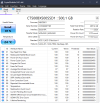
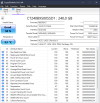
...Well if I tell you, my second SSD was the main one (I flipped them) since this one has a life of 8 yeras now, it was written over 100 TB and the manufacturer says it wan grite up to 80 TB in total. Yet I got to rip it, and ssd ain't cheap rn sadly. I got rid of the issues about having a couple capture Methods, I'm not sure if I can get rid all of them since I play CS2 and it requieres to use Window Capture instead of game (Since cheaters ruined it). I got rid of ChatStart/Brb so it doesn't bother anymore, let's seeThx, went back to P1 after I asked & saw that it was a 1050ti.
We'll see about that SSD but first, get that load reduction completed above & your CPU should stop shi!!ing the bed/crashing OBS.
As long as it's only (1) capture method per Scene