


- Supported Bit Versions
- 64-bit
- Source Code URL
- https://github.com/dimtpap/obs-pipewire-audio-capture
- Minimum OBS Studio Version
- 28.0.0
- Supported Platforms
- Linux
This plugin adds 3 sources for capturing audio outputs, inputs and applications using PipeWire.

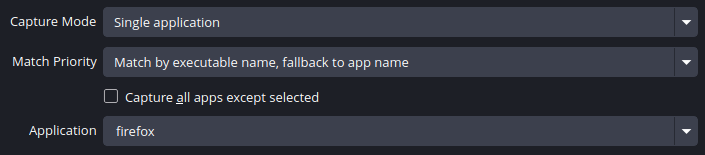
For the plugin to be able to capture applications, PipeWire should be set up to handle audio on your system. For most applications, the pipewire-pulse compatibility layer should be enough, but there are also pipewire-jack and pipewire-alsa. If applications aren't showing up in the plugin, your system may be missing one of those components.
See the PipeWire wiki for more info.
More info and building instructions can be found on GitHub.
Usage
Requirements
- OBS Studio 28.0 or later
- WirePlumber
For the plugin to be able to capture applications, PipeWire should be set up to handle audio on your system. For most applications, the pipewire-pulse compatibility layer should be enough, but there are also pipewire-jack and pipewire-alsa. If applications aren't showing up in the plugin, your system may be missing one of those components.
See the PipeWire wiki for more info.
Installation
Flatpak
If you're using the Flatpak version of OBS Studio, install the plugin from Flathub.Other
- Get the
linux-pipewire-audio-(version).tar.gzarchive from the latest release - In OBS Studio, go to File, then click Show Settings Folder
- In the folder that opens, create a folder called
pluginsif it doesn't already exist - Extract the archive you downloaded in the
pluginsfolder - Restart OBS Studio
- If you're using the Flatpak and the sources aren't working, run
flatpak override --filesystem=xdg-run/pipewire-0 com.obsproject.Studioand restart OBS Studio
Code:
.../obs-studio/plugins
├── linux-pipewire-audio
│   ├── bin
│   │   └── 64bit
│   │       └── linux-pipewire-audio.so
│   └── data
│       └── locale
│           ...
More info and building instructions can be found on GitHub.


